
Install and quick start
Requirements
| Supported | |
|---|---|
| PHP | 8.3, 8.4 |
| Laravel | 12, 13 |
| Livewire | 4 |
| Inertia | 3, with React 19 or Vue 3.5 |
| Rich text | TipTap 3 |
| Database | MySQL / MariaDB, PostgreSQL, SQLite |
| Cache | Any store with atomic locks, shared by every app server: Redis, database, or file on a single server |
| Optional | Laravel Reverb or any Pusher-compatible broadcaster, for pushed changes. Redis, for presence across many servers. |
Installation
Install it, and let the installer set it up:
composer require solutionforest/laravel-collaboration
php artisan collaboration:install
The installer publishes the config, creates the tables, installs the browser side for an Inertia app, and prints the next steps for your stack.
Nothing else: the package serves its own script, and <x-collaboration::room> adds it to the page.
Say which fields people edit together
use SolutionForest\Collaboration\Concerns\Collaborative;
use SolutionForest\Collaboration\Enums\FieldKind;

class Post extends Model
{
    use Collaborative;

    protected array $collaborative = [
        'title',                            // text, merged by character
        'summary',
        'body' => FieldKind::RichText,      // TipTap, kept as HTML or JSON, like the column
        'status' => FieldKind::Value,       // select, radio: the latest choice wins
        'published_at',                     // cast to a date, so a value
        'channels',                         // cast to an array: a checkbox group
    ];
}
A name alone takes its kind from the model's casts: booleans, numbers, dates and enums are values, everything else is text. Kinds may also be written as strings ('rich', 'value'), but FieldKind cases can't be misspelt.
People join a record's room when your PostPolicy allows update, or view for a read-only room.
Use it from your stack
use SolutionForest\Collaboration\Livewire\WithCollaboration;
use SolutionForest\Collaboration\Room;

class EditPost extends Component
{
    use WithCollaboration;

    public Post $post;
    public string $title = '';
    public string $status = '';

    public function room(): Room
    {
        return $this->post->collaboration();
    }

    public function save(): void
    {
        $this->saveCollaboratively();   // updates the post with everybody's edits
    }
}<form wire:submit="save">
<x-collaboration::room :room="$this->collaborationRoom()" />
<input wire:model="title">
<select wire:model="status">...</select>
</form>That is all: inputs with wire:model on a room field become collaborative, whatever the modifier (.live, .blur). For a Livewire form object, pass state-path="form" to the component and statePath: 'form' to saveCollaboratively(). For a rich text field, see Rich text.
TypeScript: every entry point ships with type declarations. form.field() only accepts the form's own field names.
| Livewire | React | Vue | |
|---|---|---|---|
| Join the room | <x-collaboration::room> | useCollaborativeForm() | useCollaborativeForm() |
| Text, select, checkbox, radio, group | wire:model | {...form.field('title')} | v-collaborate="form.field('title')" |
| Your own undo | built in | built in | built in |
| Locked fields | built in | built in | built in |
| Rich text | TipTap + Collaborative | <CollaborativeEditor> | <CollaborativeEditor> |
| Faces | built in | <Avatars> | <Avatars> |
| Who is in a field | <x-collaboration::field-people> | <FieldPeople> | <FieldPeople> |
| Sync status | built in | <Status> | <Status> |
| Save | saveCollaboratively() | $room->update() | $room->update() |
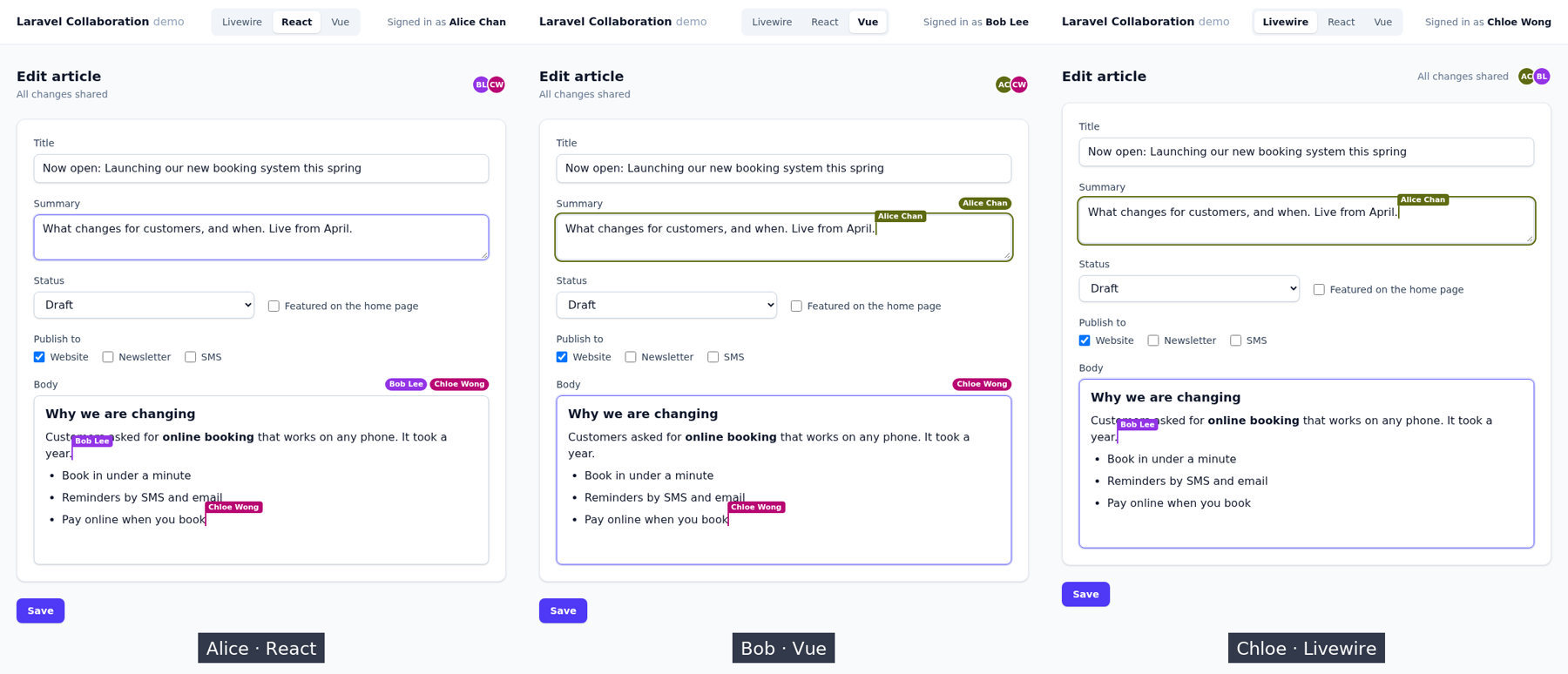
Want a full copy-pasteable example page? Follow Your first collaborative page step by step. Building your own input, picker, or editor component? See Make your own component live.