
Install and quick start
Requirements
| Supported | |
|---|---|
| PHP | 8.3, 8.4 |
| Laravel | 12, 13 |
| Filament | 5.8.3 or later |
| Database | MySQL / MariaDB, PostgreSQL, SQLite |
| Cache | Any store with atomic locks, shared by all app servers (Redis, database; file on a single server) |
| Servers | PHP-FPM, php artisan serve or Laravel Octane; several panels, each with its own guard if you like (guide) |
| Optional | Laravel Reverb, or any Pusher-compatible broadcaster, for pushed changes. Redis for presence across many servers. |
Every combination of PHP and Laravel is tested on each push. See Quality.
Quick start
1. Install the package
composer require solutionforest/filament-collaboration
php artisan migrate
2. Add the plugin to your panel
use SolutionForest\FilamentCollaboration\CollaborationPlugin;

public function panel(Panel $panel): Panel
{
    return $panel
        // ...
        ->plugin(CollaborationPlugin::make());
}
Filament publishes the package's JavaScript and CSS with its other assets. If you see no avatars, or collaboration.js returns a 404, run php artisan filament:assets.
3. Add a trait to your resource pages
use SolutionForest\FilamentCollaboration\Concerns\HasPresence;
use SolutionForest\FilamentCollaboration\Concerns\InteractsWithCollaboration;

class EditPost extends EditRecord
{
    use InteractsWithCollaboration; // live editing, presence and merge on save
}

class ListPosts extends ListRecords
{
    use HasPresence; // shows who is here; also for create, view and custom pages
}
That's all. Open the same record in two browsers and start typing.
4. Optional: comments and history
Add the header action to an edit page:
use SolutionForest\FilamentCollaboration\Actions\CollaborationPanelAction;

protected function getHeaderActions(): array
{
    return [CollaborationPanelAction::make()];
}
5. Optional: real time and many servers
- Changes arrive by polling, with nothing else to run. For instant updates, set up Laravel Reverb and turn on
broadcasting(). See Real time with Reverb. - With several app servers, keep presence in Redis with
FILAMENT_COLLABORATION_PRESENCE=redis. See Many servers.
Try the demo
The demo/ folder is a complete Laravel app you can run in a few minutes: Fieldnotes, a small city magazine with a public blog and the Filament CMS its editors write it in. It comes with 18 articles by seven named authors, four static pages, categories, tags and 100 editors, so you can see how presence looks on a busy team. The content and the people are fictional; the covers are generated.
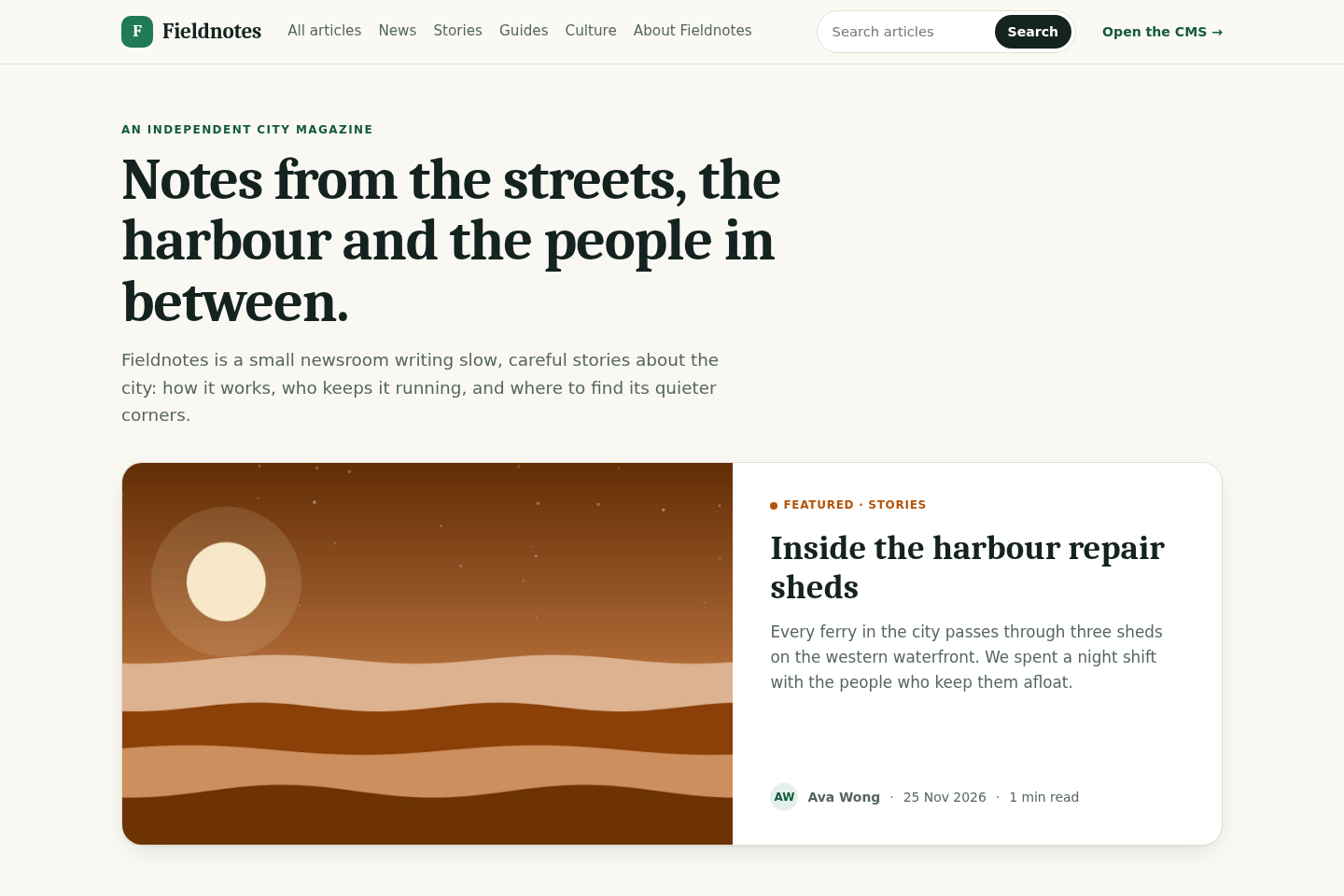
Run it
cd demo
composer install && npm install && npm run build
cp .env.example .env && php artisan key:generate
touch database/database.sqlite && php artisan migrate --seed
php artisan serve --no-reload
The blog is at /. Open the CMS at /admin and sign in as alice@example.test. In a second browser, or a private window, sign in as bob@example.test. The password for both is password.
What to try
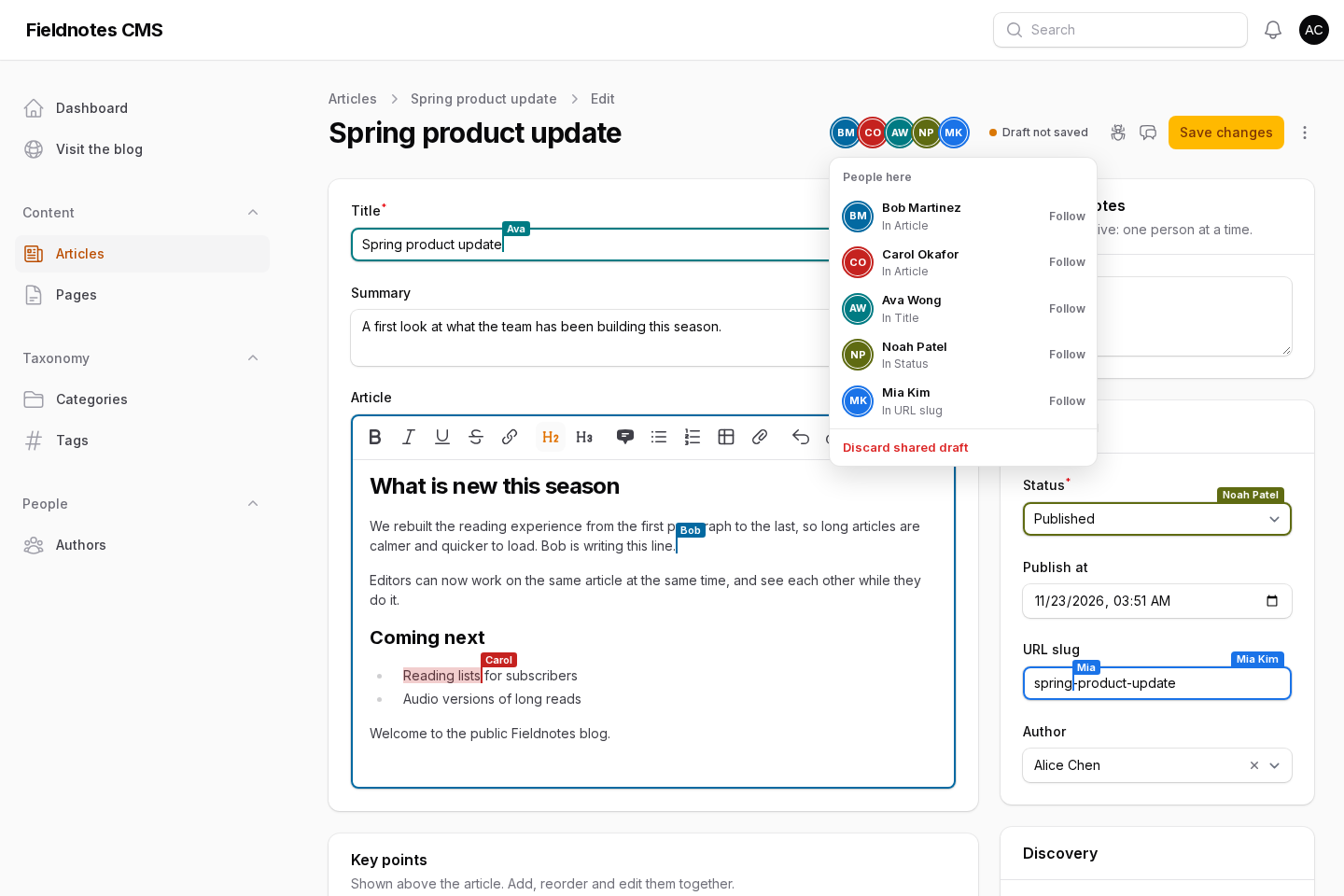
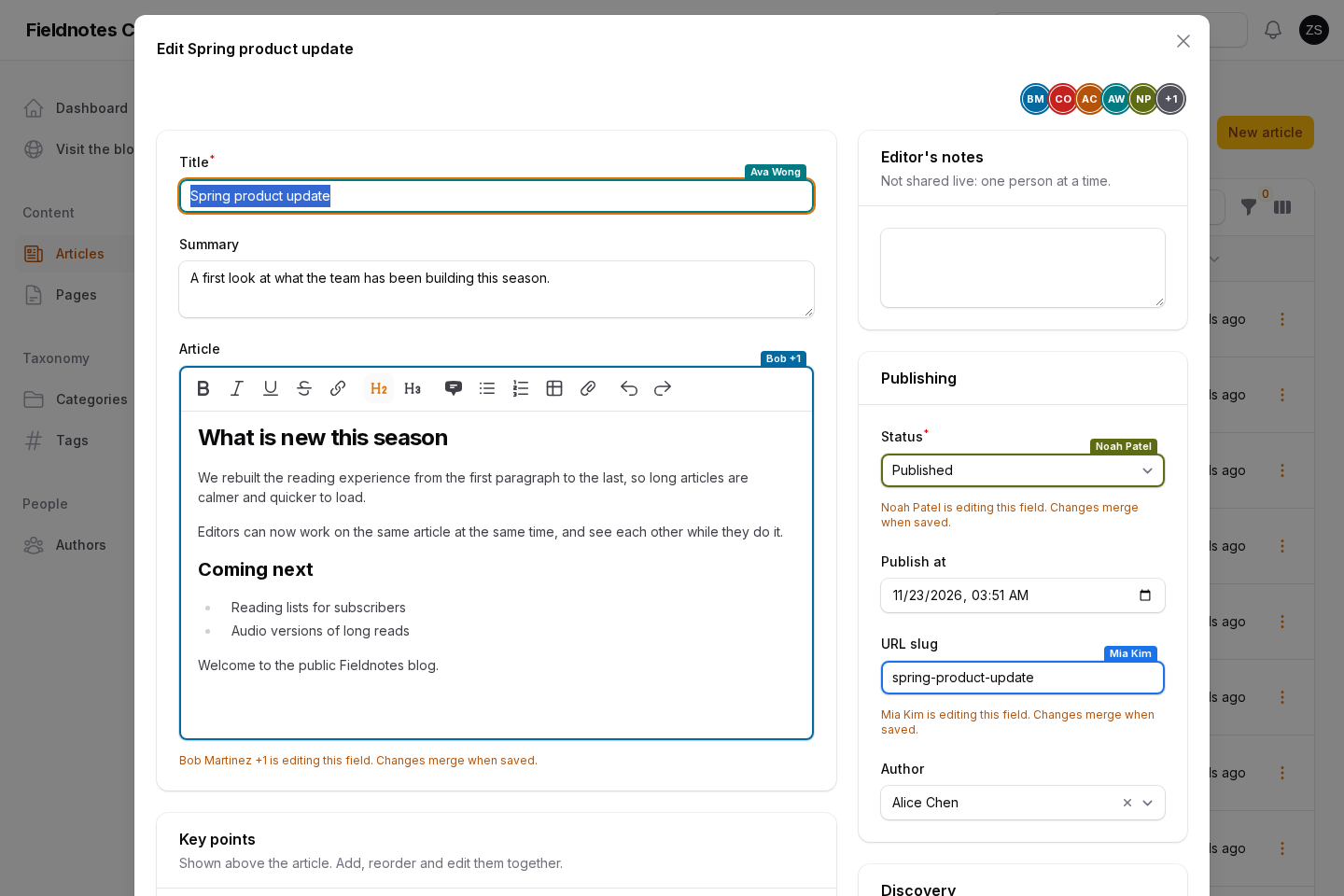
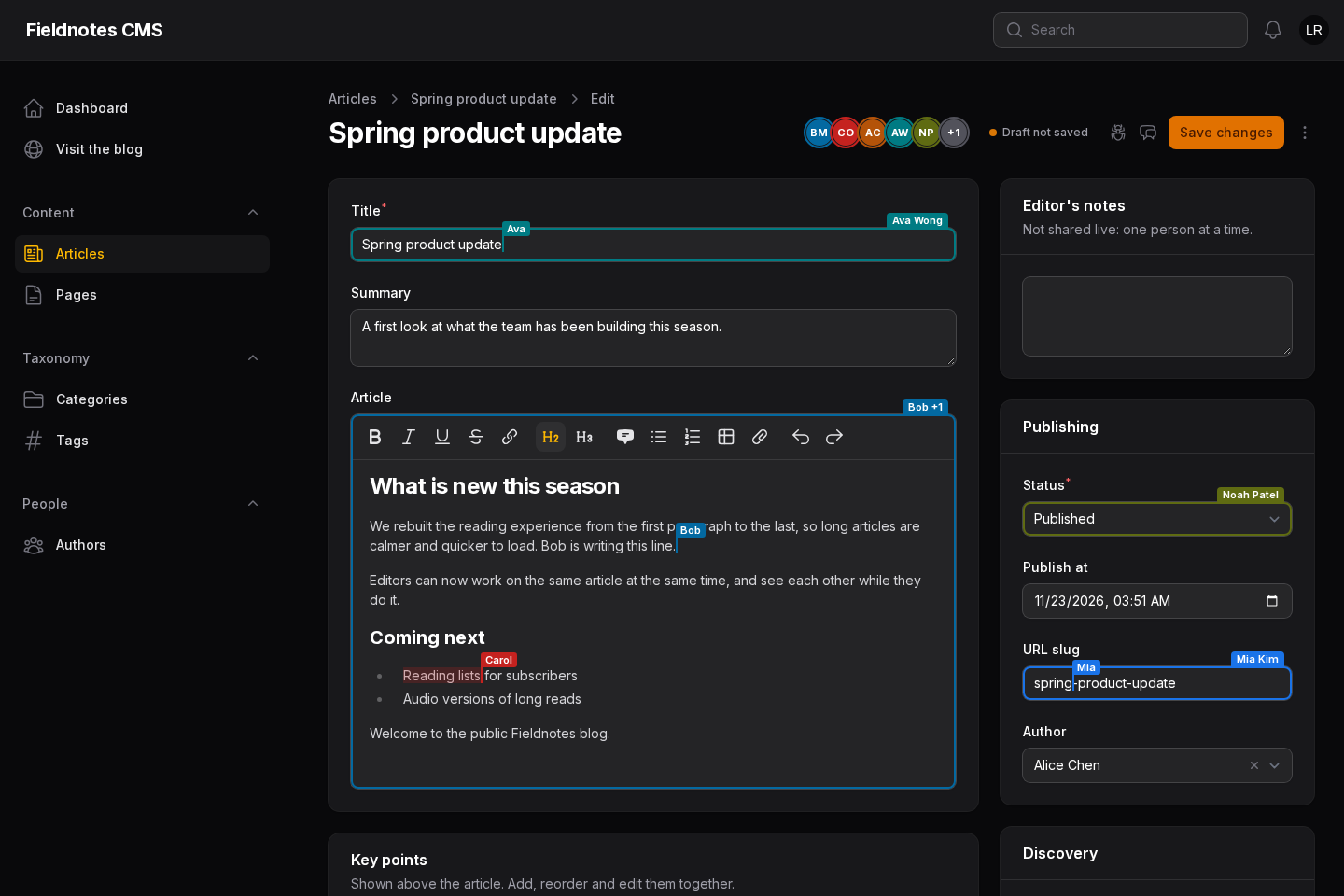
1. Edit an article together. Open the same article as Alice and Bob and type in the title or the article text. Each of you sees the other's avatar, an outline and name on their field, and their caret as they type. Press Save in either browser, and both people's changes are saved.
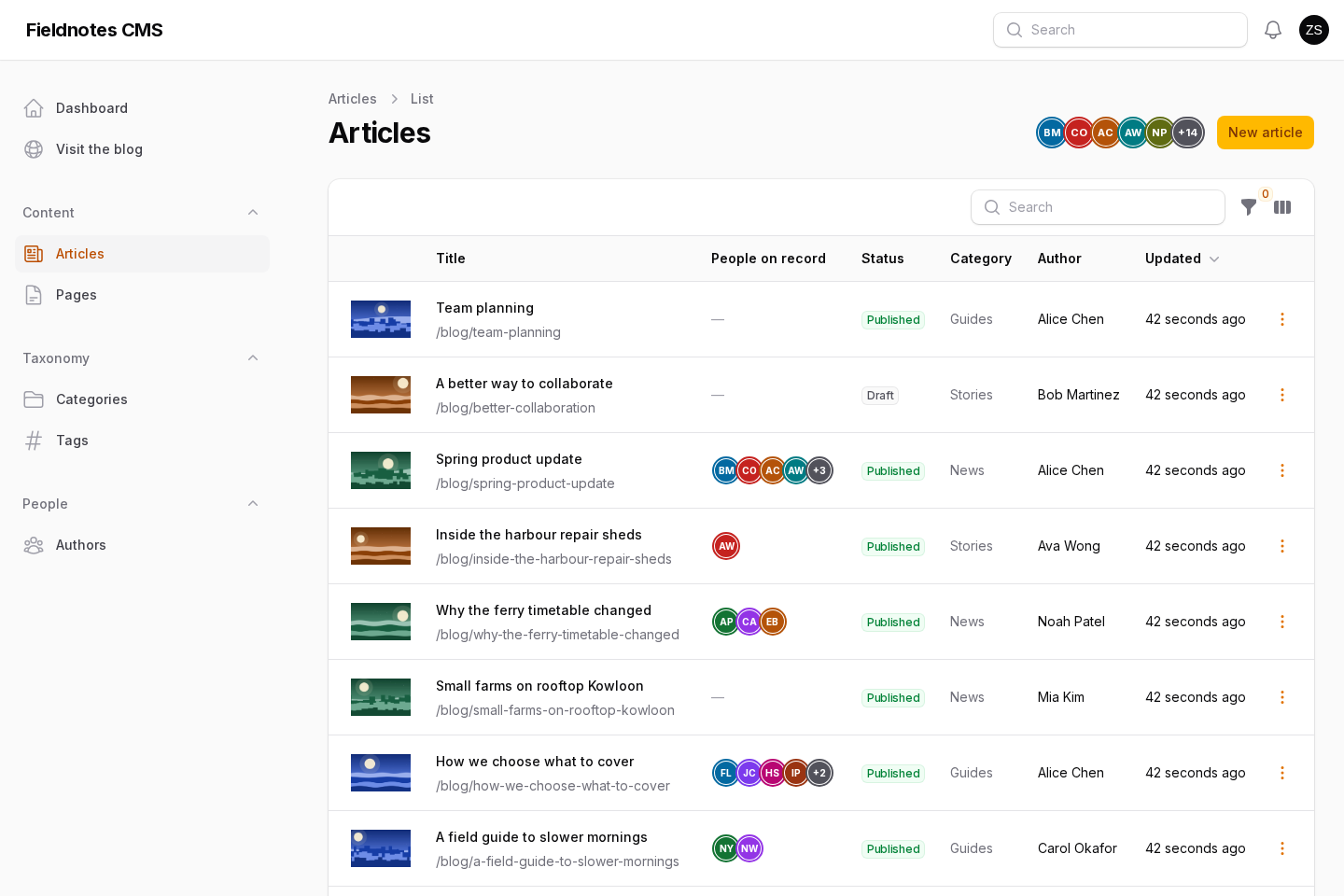
2. See who is where. The articles list shows who is on each record. The people panel in the header lists everyone on the page.
 |  |
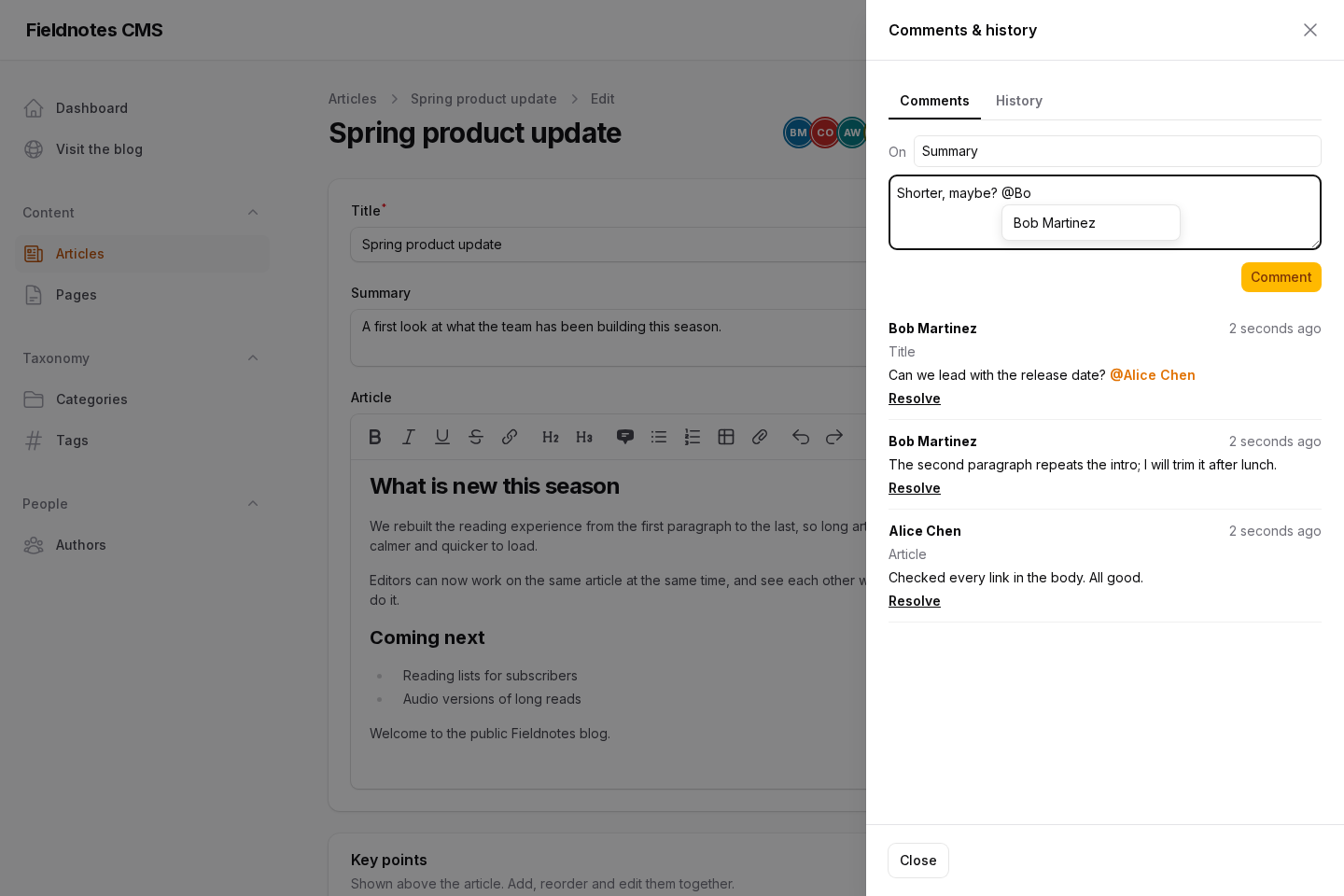
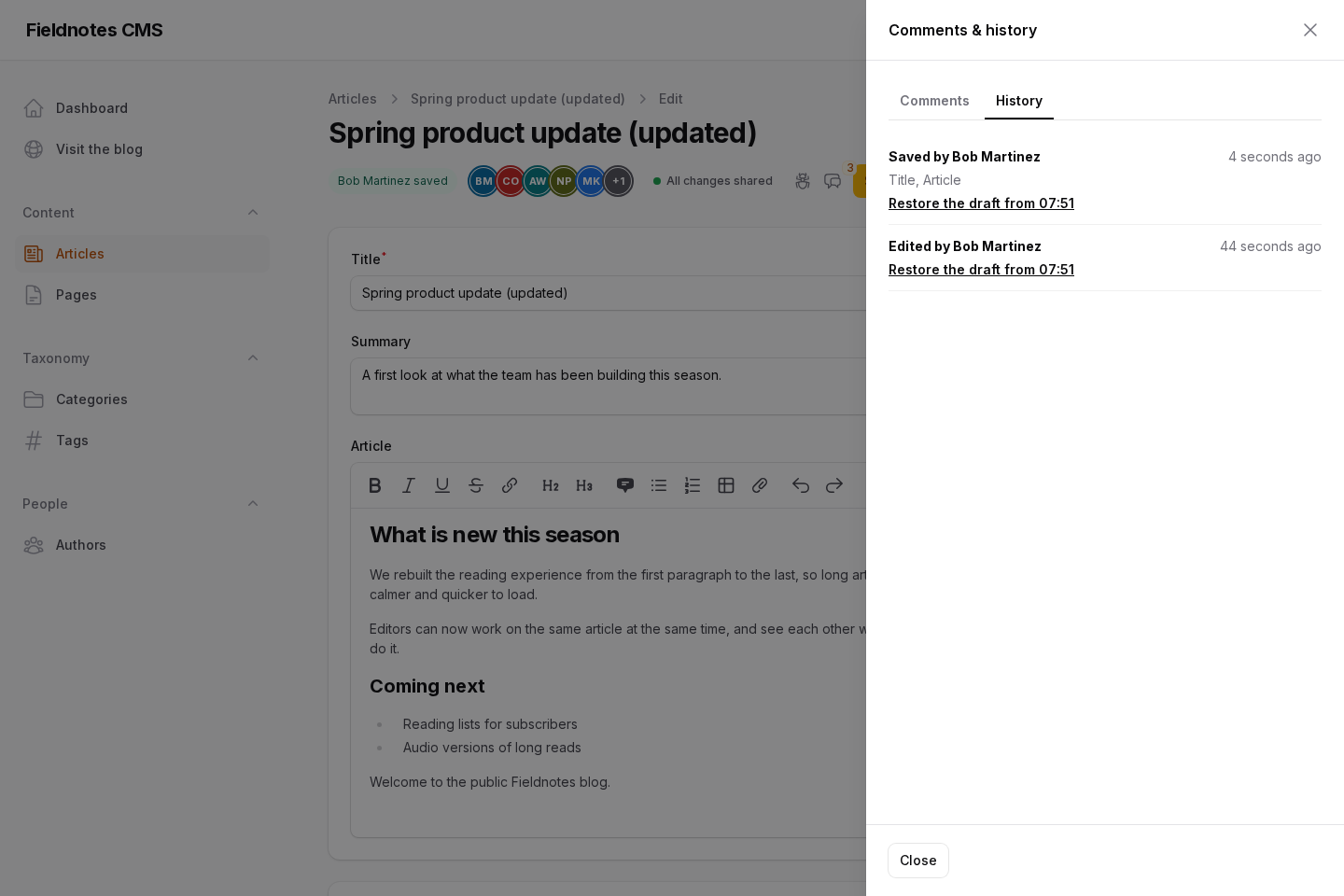
3. Leave a comment and restore a version. Click the chat icon in the header. Comment on a field and @mention Bob; he gets a notification. Under History, restore an earlier version of the draft for everybody.
 |  |
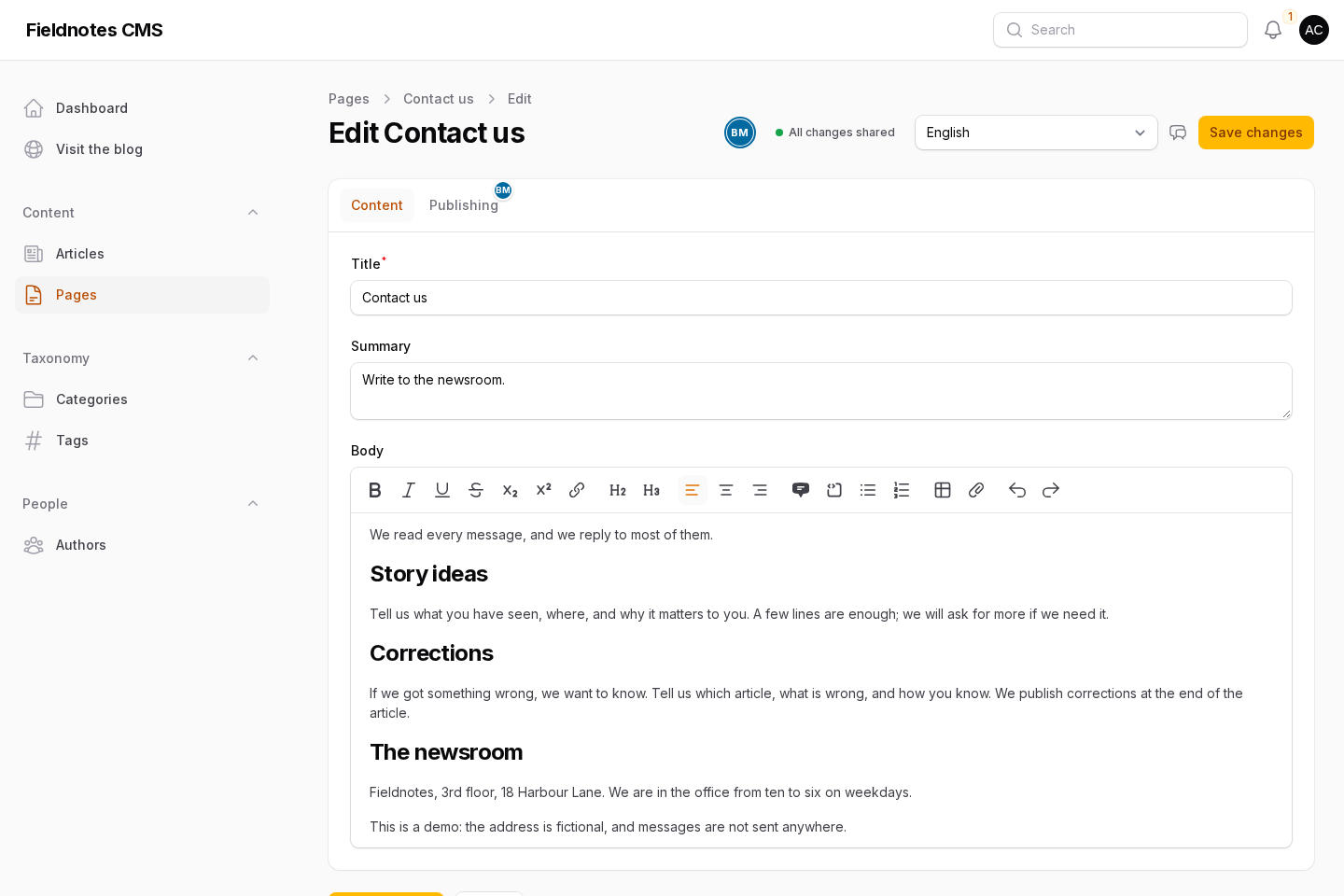
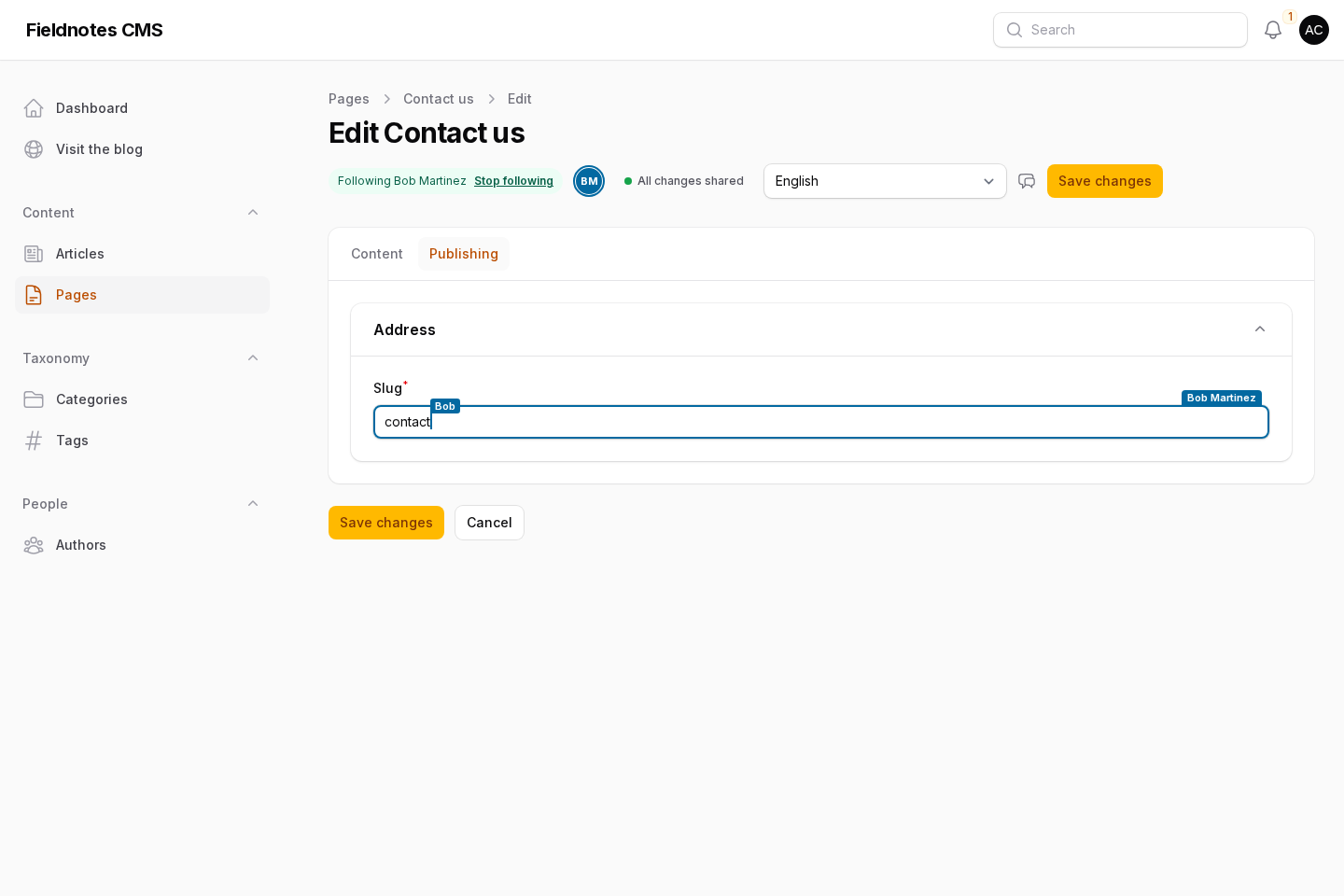
4. Find a colleague out of sight. On a translated page, when Bob is in a field behind the closed Publishing tab, his initials show on the tab. Click Follow, and your page goes wherever he goes.
 |  |
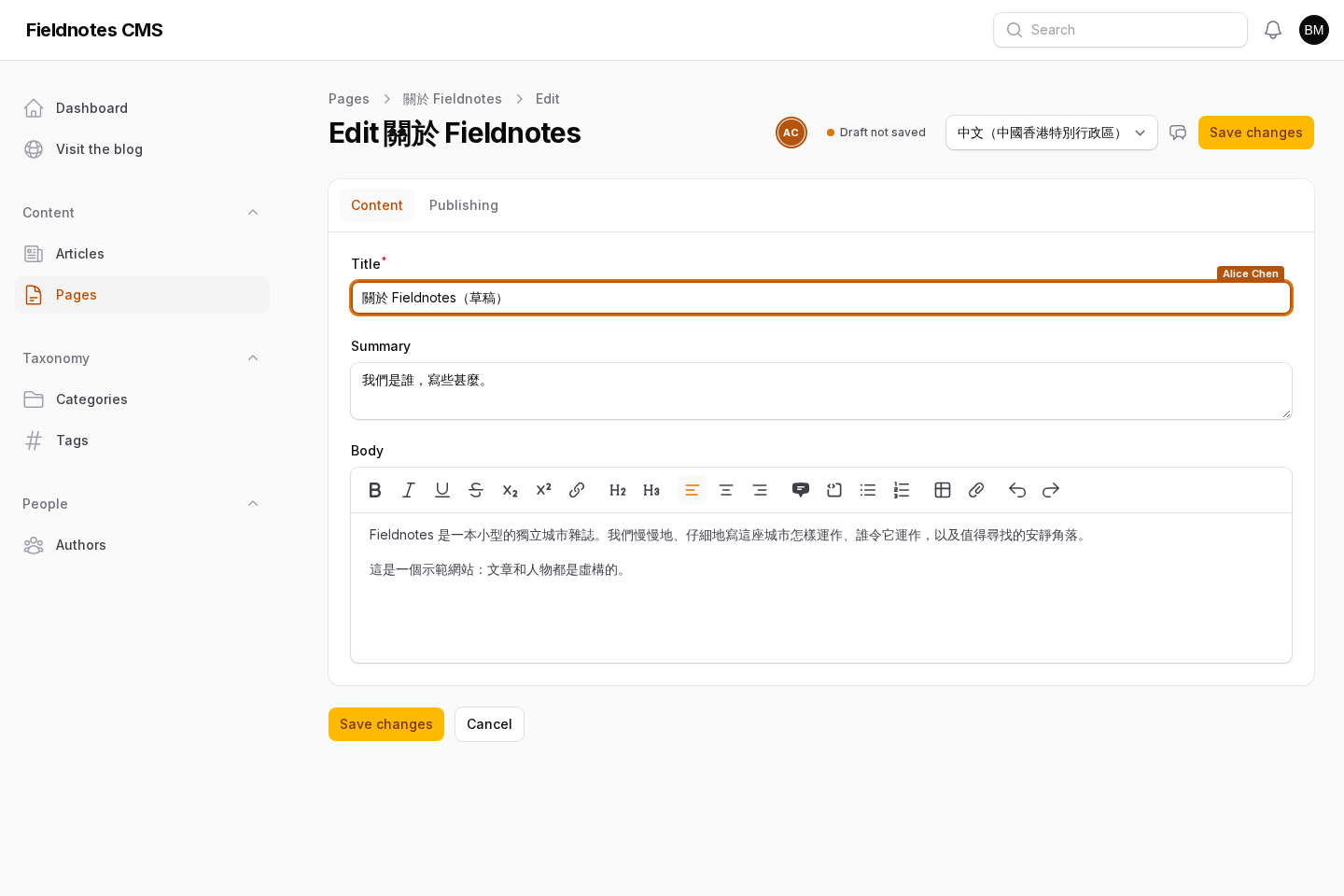
5. Edit two languages at once. The blog's static pages, under Pages, have English and Chinese tabs. Each language has its own draft, so Alice and Bob can each work on one.
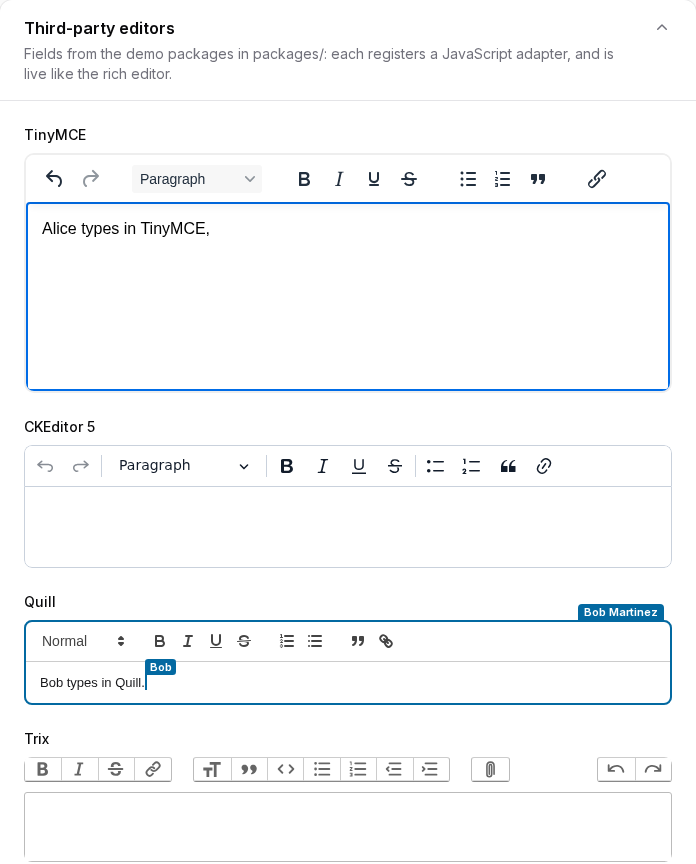
6. Try editors from other packages. The demo includes TinyMCE, CKEditor, Quill and Trix, each made live by a short adapter.
 |  |
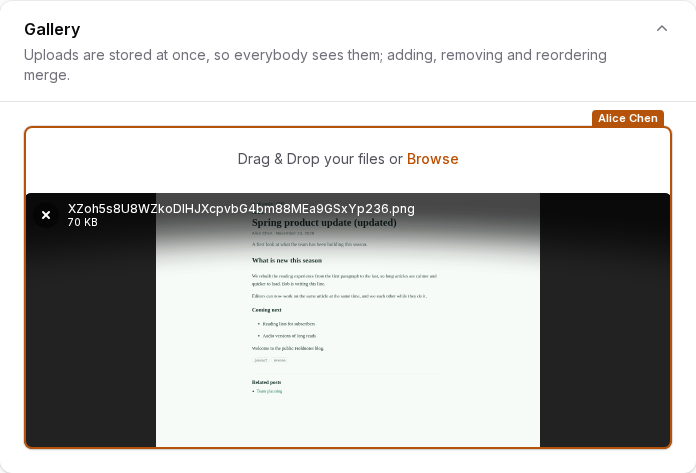
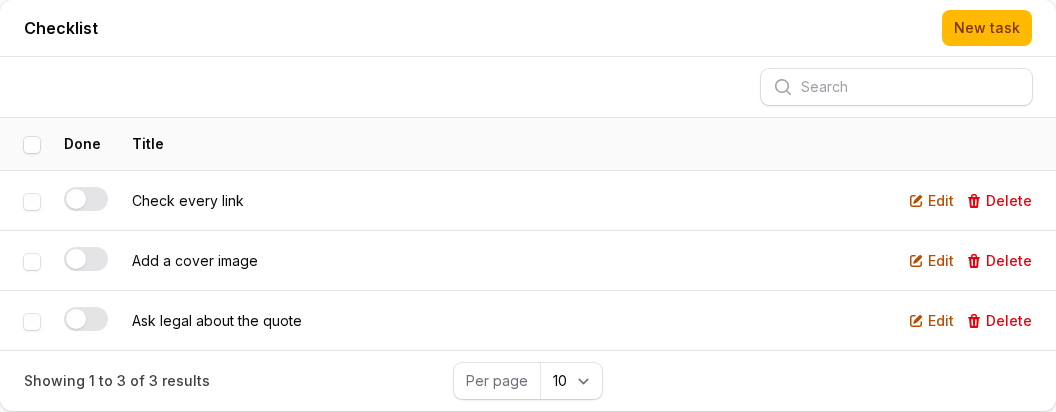
7. Upload files and add tasks. A file Alice uploads appears in Bob's form at once. Tasks she adds to an article's Checklist appear in Bob's open copy too.
 |  |
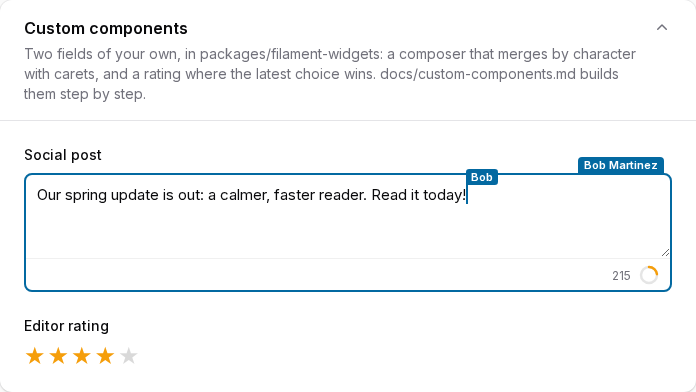
8. Make your own component live. The post composer and star rating come from demo/packages/filament-widgets. The guide builds them step by step.
More:
- The quick-edit modal in the articles table has presence too.
- The panel works in dark mode and on phones.
- To try Redis presence, set
FILAMENT_COLLABORATION_PRESENCE=redisin.env.
 |  |